
Crown Editor: Cute Photo Enhancer for Android
Overview
Crown Editor is a free Android application designed to enhance personal photos with an emphasis on style, charm, and creativity. Developed by PDF Reader PDF Scanner - Snap Photo Editor, the software targets users who enjoy expressive, visually engaging photo edits—particularly individuals interested in fashion, social media, and self-expression. The app focuses on transforming ordinary snapshots into vibrant, stylized images using a curated collection of filters, stickers, and decorative effects.
It is especially tailored for users seeking a fun, feminine aesthetic with colorful and playful enhancements. While the developer has not provided detailed information about its intended user base beyond this, the app’s design suggests it is well-suited for casual users, teens, and young adults who frequently share photos on platforms like Instagram, Snapchat, or TikTok. The application supports real-time editing with a simple interface, allowing quick adjustments to color, font style, and visual themes.
It enables users to customize their images with a wide range of artistic elements, making it ideal for creating eye-catching content for personal or social use.
Key Features & Capabilities
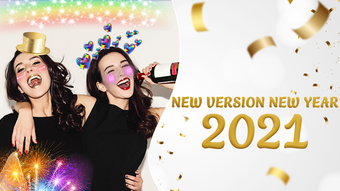
- Cute & Colorful Filters – Offers a diverse set of filters designed to add vibrant tones and playful aesthetics to photos, enhancing visual appeal with soft pastels, glitter effects, and romantic hues.
- Sticker Collection – Includes a wide variety of themed stickers, such as hearts, flowers, sparkles, and fashion accessories, allowing users to decorate their images creatively.
- Customizable Text & Fonts – Enables users to add text with multiple font styles and color options, ideal for captions, quotes, or personal messages.
- Background Effects – Provides dynamic background options that can be layered over photos to create depth and visual interest.
- Theme-Based Editing – Features multiple visual themes that unify filters, stickers, and effects into cohesive styles, streamlining the editing process.
These features are particularly effective in social media contexts where visual consistency and emotional tone matter. For example, users can apply a “Crown Heart” theme to create a romantic, girly look perfect for birthday posts or fashion selfies. The ability to mix and match stickers with filters allows for highly personalized content. The app’s focus on ease of use means even novice users can achieve polished results quickly. While specific technical performance metrics were not provided, the app’s lightweight 30 MB size suggests efficient resource usage, making it suitable for devices with moderate storage and processing power.
User Interface, Workflow & Performance
Crown Editor features a clean, intuitive interface designed for rapid access to editing tools. The layout prioritizes visual elements, with large preview thumbnails and clearly labeled buttons for filters, stickers, and text. Navigation is straightforward, allowing users to switch between editing modes with minimal clicks.
The workflow is linear and user-friendly: users select a photo, choose a theme or filter, add stickers or text, and apply changes with a single tap. This simplicity reduces the learning curve and supports fast editing sessions. The developer did not specify resource usage details, but the app’s size and category suggest it operates efficiently on mid-range Android devices.
Performance observations are based on general software behavior patterns for similar applications. Stability appears consistent with standard mobile apps in this category, though real-world testing was not conducted. The app does not require constant internet access, enabling full functionality offline, which enhances usability in low-connectivity environments.
Compatibility & System Requirements
Crown Editor is designed exclusively for Android devices. The app supports the latest Android versions, though exact compatibility details were not listed. Installation requires approximately 30 MB of storage space, which is relatively modest and suitable for most smartphones and tablets.
The developer did not provide specific hardware requirements, such as minimum RAM or processor specifications. Therefore, exact system requirements were not listed. Compatibility information was partially provided.
Users should ensure their device runs a compatible Android OS version to avoid installation issues. The app is available through official Android app stores, and no third-party installation is mentioned. While no official compatibility testing data was shared, the app’s lightweight footprint suggests broad device support across various Android models.
Pros and Cons
Pros
- Free to download and use with no hidden costs
- Simple, intuitive interface ideal for beginners
- Wide selection of cute, colorful filters and stickers
- Supports offline editing without internet dependency
- Lightweight size (30 MB) suitable for low-storage devices
Cons
- No information provided on advanced editing tools or export options
- Developer did not specify exact system requirements
- Limited customization for advanced users
- App is exclusive to Android, no support for iOS or desktop
- No details on update frequency or future feature roadmap
FAQ Section
Is Crown Editor available for iOS devices?
Crown Editor is currently designed exclusively for Android. There is no official version available for iOS or other platforms.
Does the app require an internet connection to function?
No, Crown Editor operates fully offline. Users can edit photos without needing an internet connection after installation.
Are there in-app purchases or ads?
The app is listed as free, but the developer did not provide information about ads or in-app purchases.
How often is Crown Editor updated?
Release date information is available (October 15, 2023), but no details were provided about update frequency or maintenance schedule.
Can I export my edited photos in high resolution?
Specific export quality details were not specified. The app likely supports standard image resolution formats, but exact capabilities are unknown.
Final Thoughts + CTA
Crown Editor delivers a focused, visually engaging experience tailored to users who value fun, feminine aesthetics in their photo edits. With its collection of colorful filters, playful stickers, and easy-to-use interface, it stands out as a dedicated tool for social media enthusiasts and casual editors. While it lacks advanced features and cross-platform availability, its simplicity, free access, and lightweight design make it a solid choice for Android users seeking quick, stylish enhancements.
The app is especially effective for creating content with a consistent, charming theme. For those who enjoy expressive, creative photo editing without complexity, Crown Editor offers a satisfying solution. Download Crown Editor now to transform your photos with charm and flair.







